Dispatch management
Dispatch management for agencies that run carriers
You book the load on the load board as you do today. Coreway takes it from the rate confirmation: create it, assign the truck and the driver, follow the stops and close it, with every dispatcher on the same board.
30-day free trial. No card needed. In English and Spanish.
-
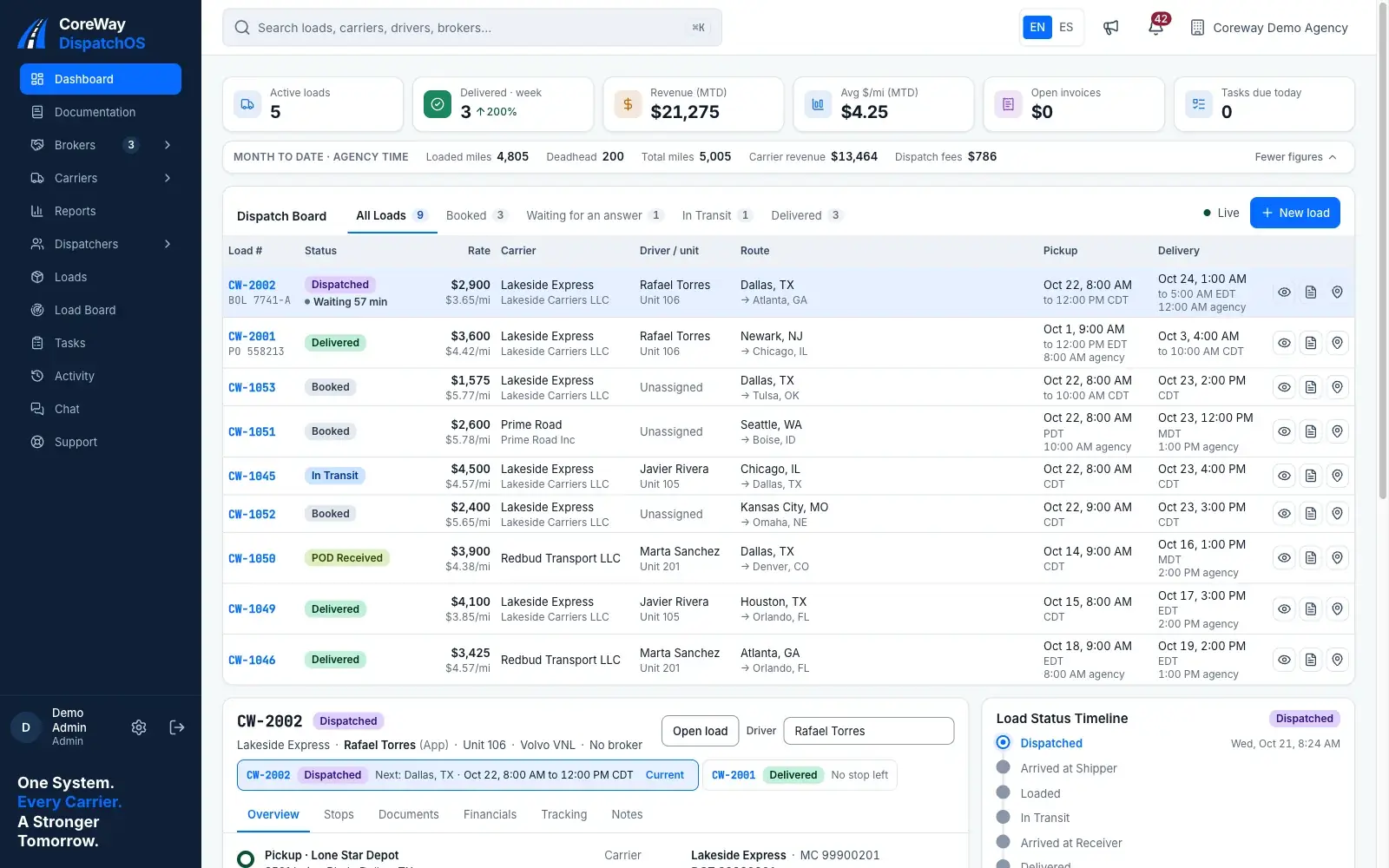
One board, every dispatcher
Status, truck, driver, stops and rate on one screen. Filter by status. The whole office sees the same board.
-
The load in minutes
Broker, load number, stops, rate and miles from the rate confirmation. Facilities you reuse fill address, contact and dock hours. A duplicate check stops the same load twice.
-
The driver answers, you know
Assign a truck and a driver; the driver gets a push notification and accepts or rejects with a reason. A rejection returns the load to the board at once.
-
Nothing slips
Tasks with a due time and an owner, an activity feed of what the team and the drivers do, and chat per load with the driver.
-
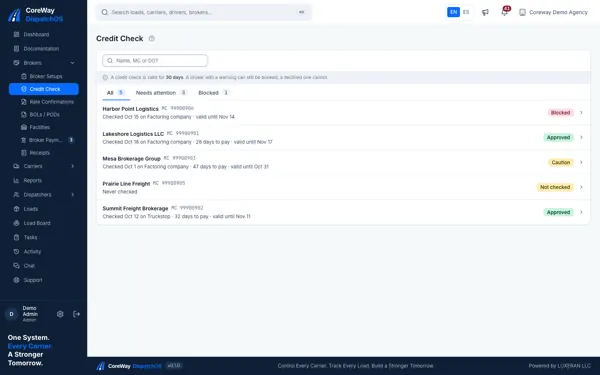
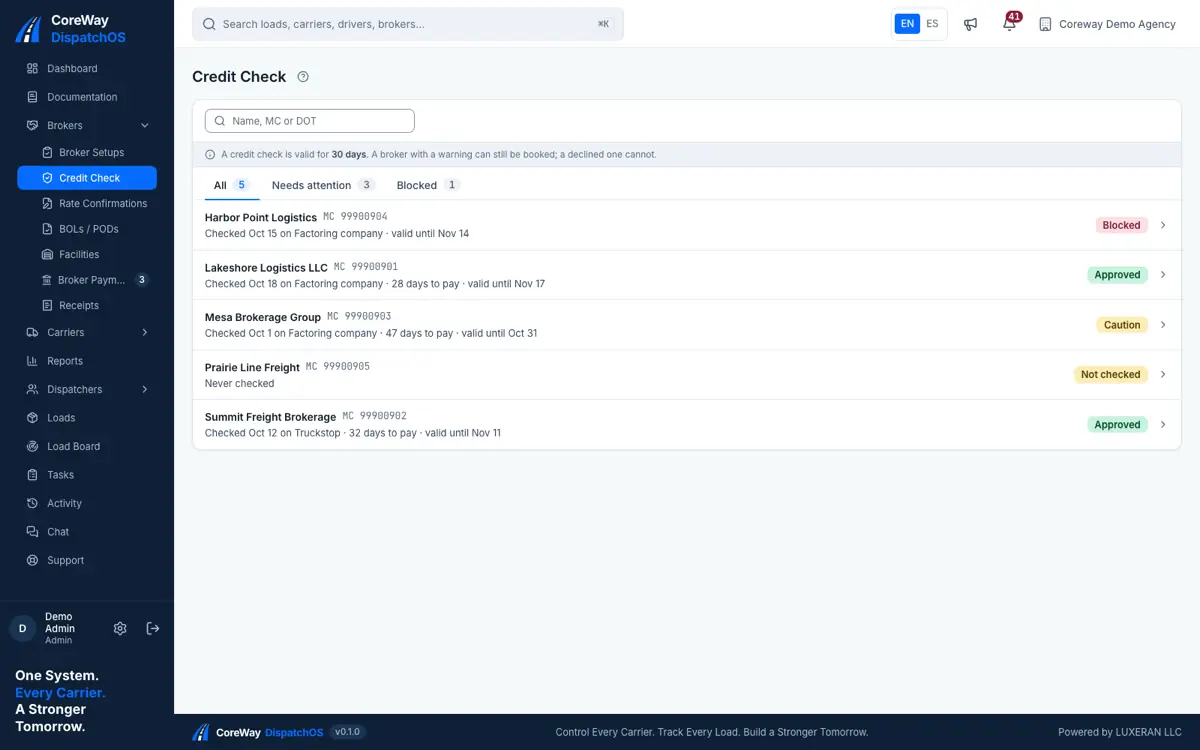
Check the broker before you commit a truck
The credit list shows every broker of the agency with its last check, days to pay and open incidents. Record what the load board, the factoring company or FMCSA says, with a decision: approved, caution or declined. Checks expire after the number of days you set, and the new load form asks for a fresh one.
- Score and days to pay from the source you used
- FMCSA authority lookup from the broker record
- Incidents (TONU, dispute) that warn the whole team
-
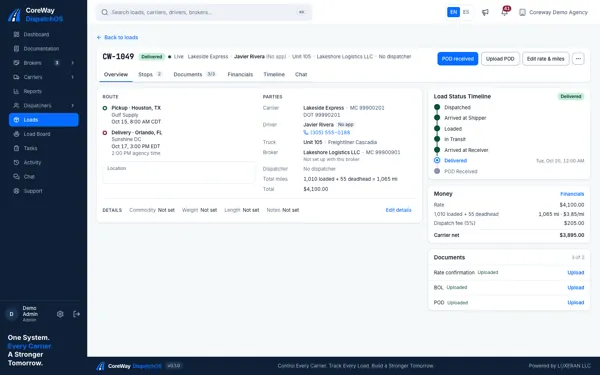
The load file, from booking to delivery
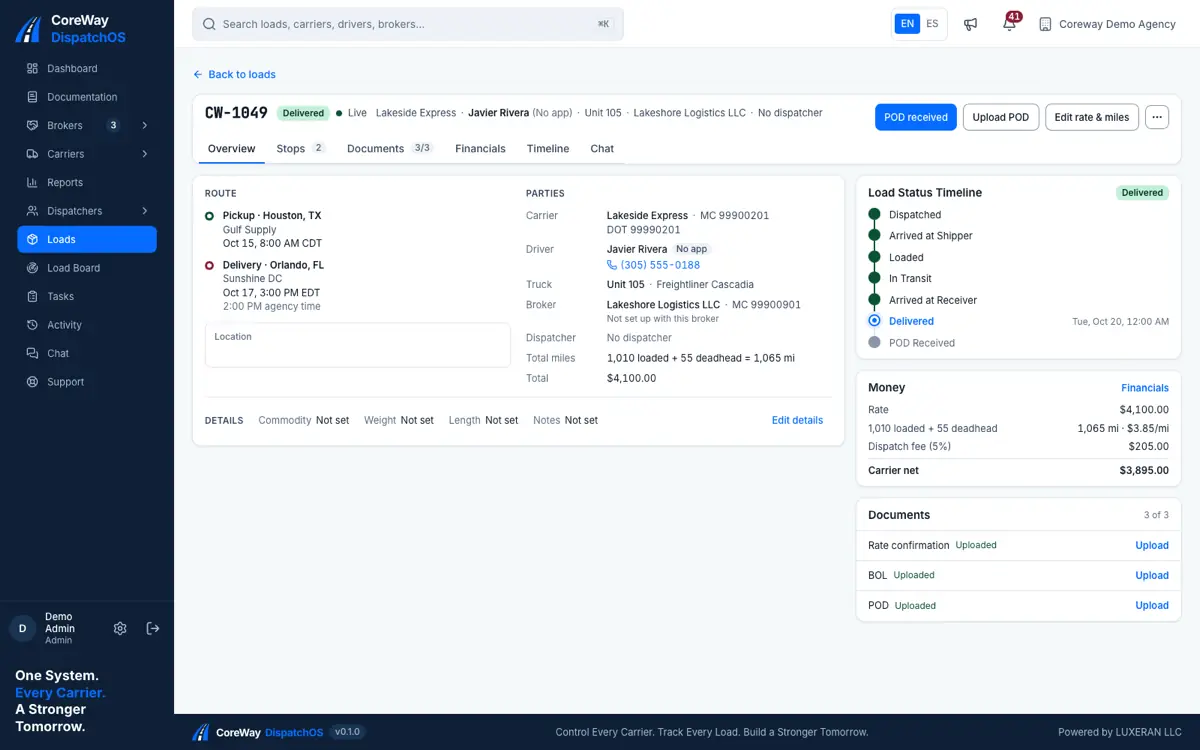
Stops with appointments, the status timeline with the same names the driver sees, the three documents and the money of the load. Arrival and departure at each stop are stamped from the driver's phone.
- Statuses: Dispatched, Accepted, Delivered, Settled
- Rate confirmation from the office, BOL and POD from the stop
- Accessorials, loaded and deadhead miles, rate per mile
-
Trucks, drivers, carriers and owners
A carrier can be an owner-operator with its own MC or a company with several trucks; a truck can be leased by an owner onto a carrier; a driver can drive for more than one carrier. Coreway keeps those relationships so the money follows the right people.
- Carriers, trucks and drivers with their documents
- Leases of a truck onto a carrier, with the commission and weekly charges
- Roles and permissions for admins, accounting and dispatchers
Questions agencies ask before signing up
Does Coreway find loads for me?
No. You keep booking on the load board. Inside Coreway you can search Truckstop with each carrier's own account and keep leads so the team does not call the same broker twice; the load itself still starts from the rate confirmation.
Can several dispatchers work at once?
Yes, with no charge per dispatcher. Everyone sees the same board, and the activity feed shows who did what.
How do I know a driver turned a load down?
The driver rejects in the app with a reason, the load goes back to the board and the activity feed and the bell tell the office.
Can I reuse shippers and receivers?
Yes. Facilities keep address, contact and dock hours; a stop picks one and gets them filled in.
Run your next load in Coreway.
Create your agency in a few minutes and use Coreway free for 30 days. No card needed.